Schedule Job node and ALM Service fields
Configure the Schedule Job node and its mandatory ALM Service inputs.
Scheduling jobs in Symphony
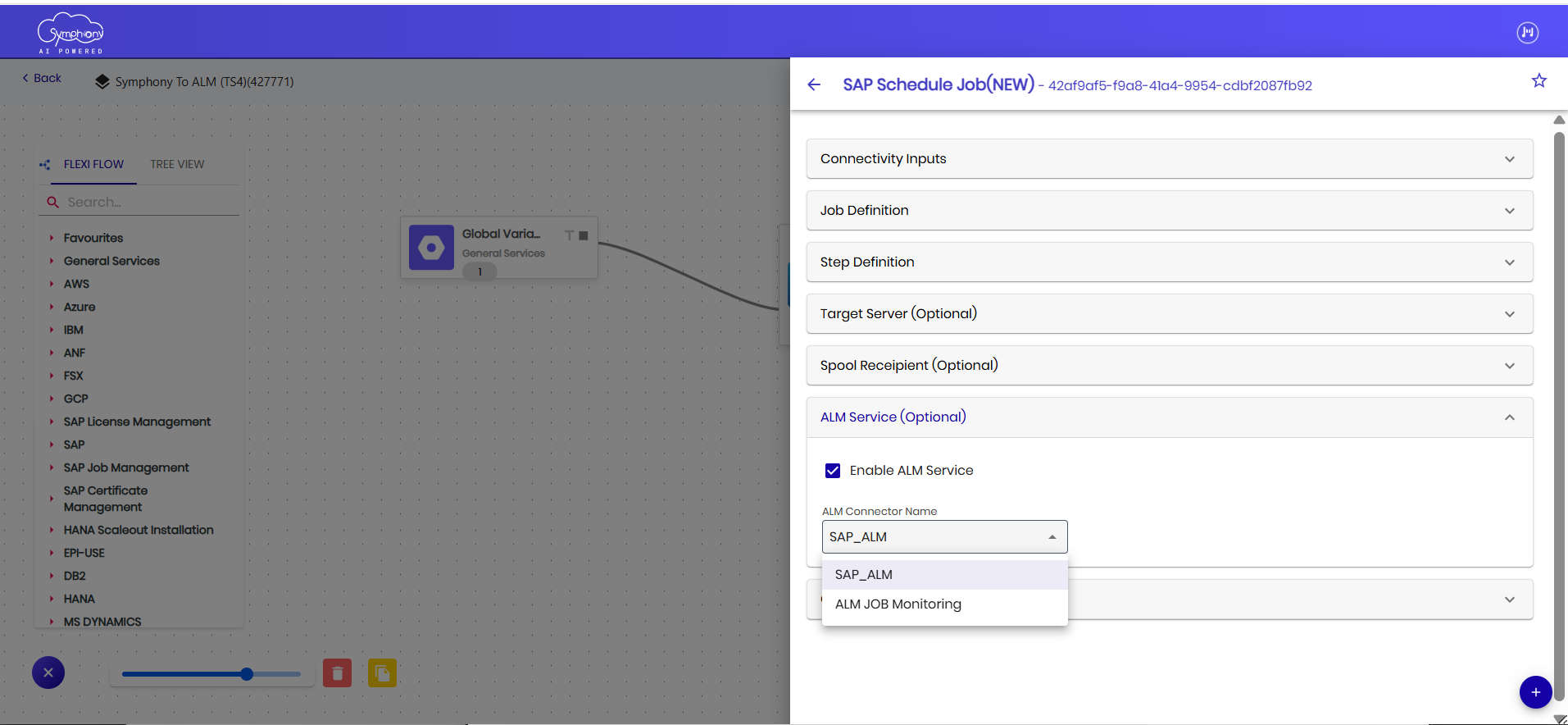
Symphony enables users to automate and manage job execution through the Schedule Job node available within the workflow designer. This node acts as the central configuration component for defining job scheduling parameters and maintaining SAP Cloud ALM integration details.
The Schedule Job node contains all mandatory ALM-related inputs required for successful job execution, monitoring, and data synchronization with SAP Cloud ALM. Users must ensure that all required input fields are properly maintained before saving, validating, or scheduling the job.
The following section explains the ALM Service input fields and their purpose within the Schedule Job configuration.
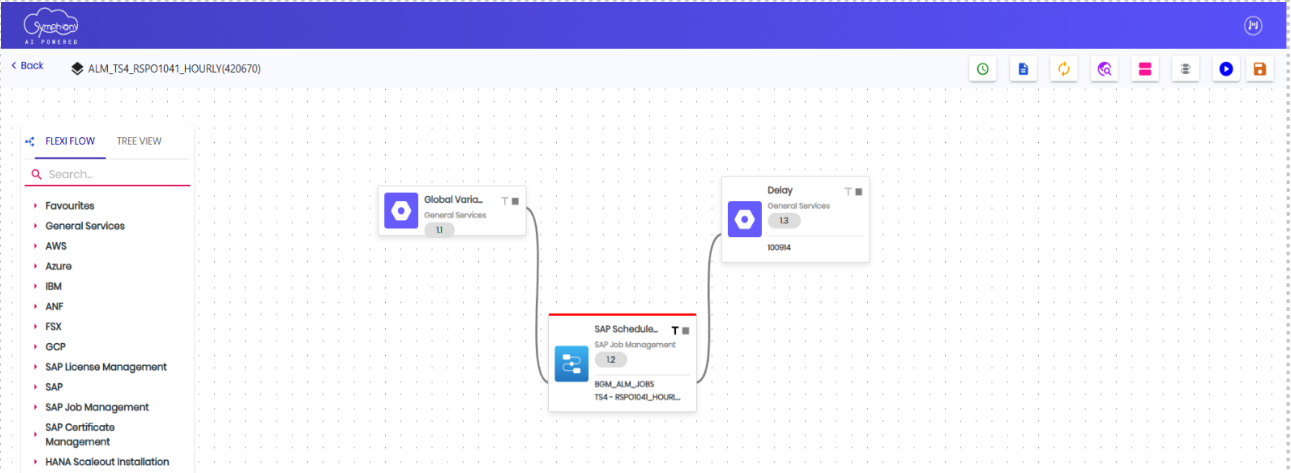
ALM Service input fields
The ALM Service section within the Schedule Job node contains the mandatory configuration inputs required for establishing integration between Symphony and SAP Cloud ALM. These inputs enable secure authentication, communication, and monitoring of scheduled jobs within the SAP Cloud ALM environment.
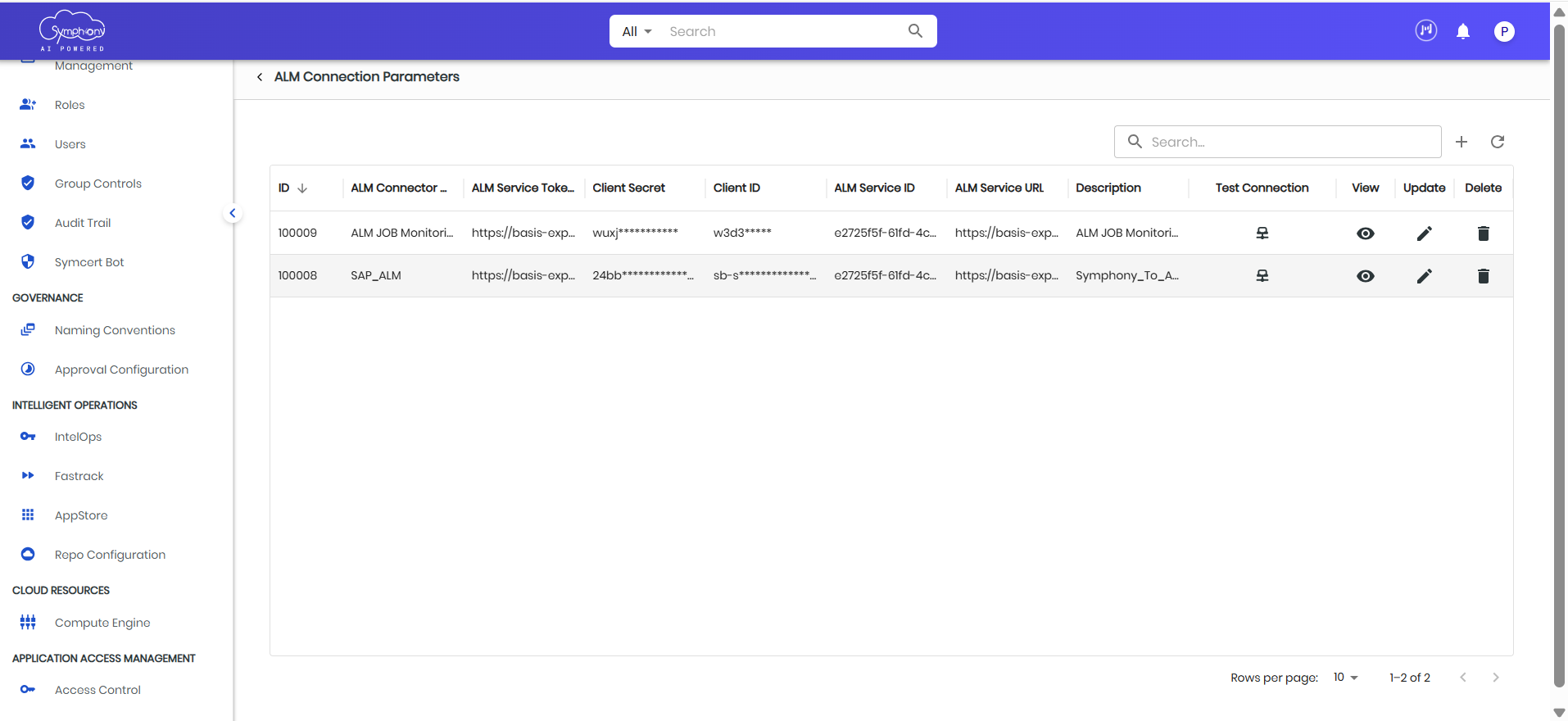
ALM Service configuration in ALM Connection Parameters
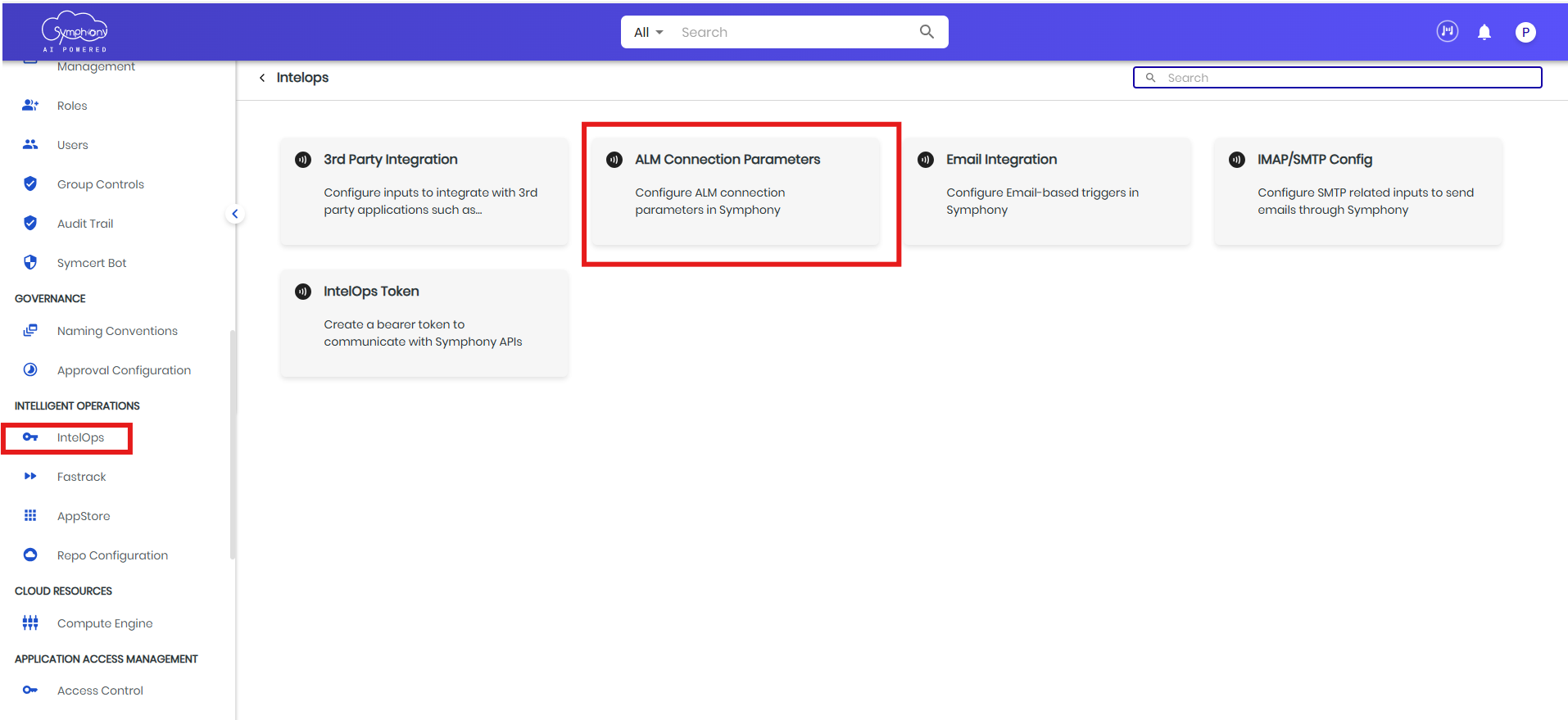
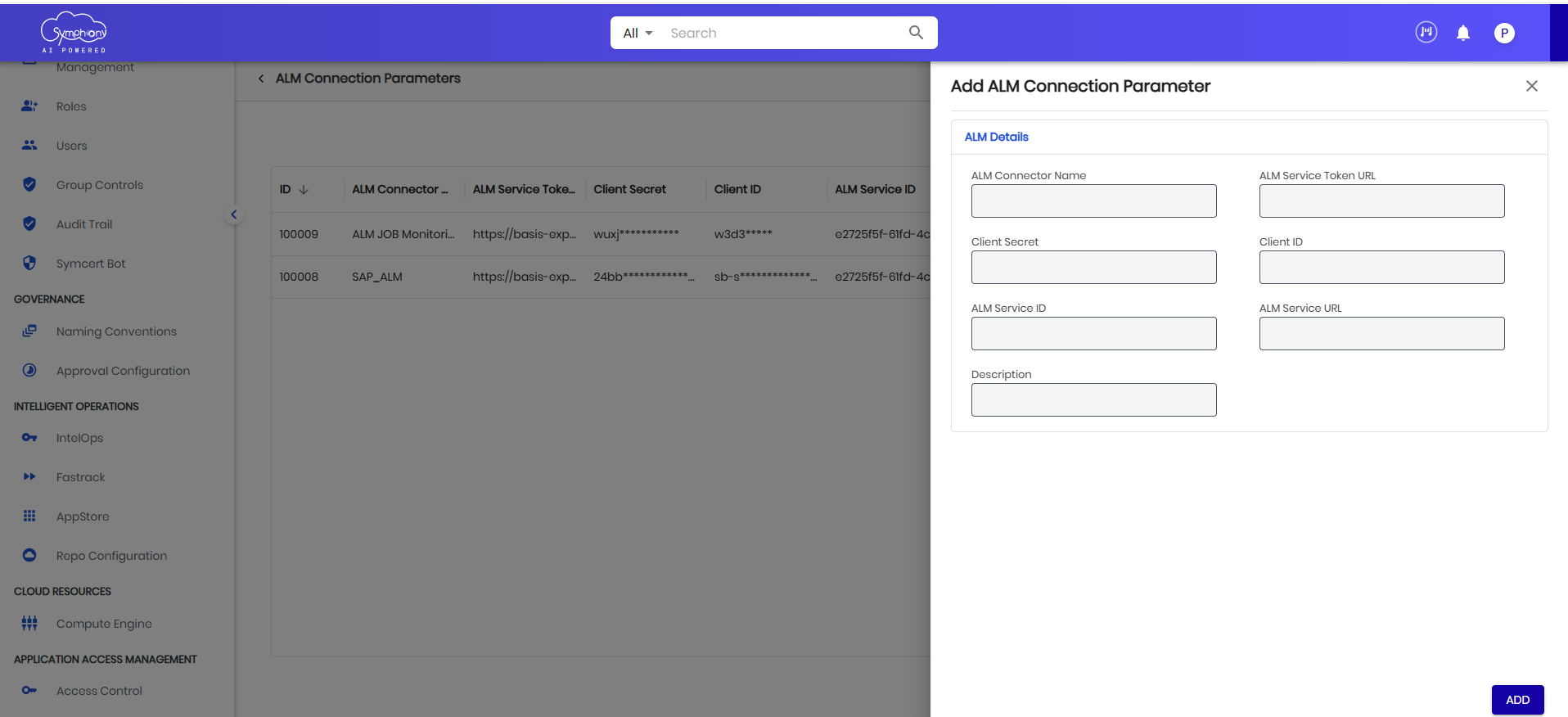
Under the IntelOps section within the ALM Connection Parameters tile, you should input the following fields:
| Field | Definition |
|---|---|
| ALM Service Token URL | The OAuth 2.0 token endpoint URL used to obtain an access token for authenticating API requests to the SAP Cloud ALM service. This URL is typically in the format: https://<subaccount>.authentication.<region>.hana.ondemand.com/oauth/token |
| ALM Service URL | The base URL of the SAP Cloud ALM service API endpoint. This is the root URL used for making REST API calls to interact with ALM resources such as job monitoring and automation services. |
| Client Secret | A confidential string issued alongside the Client ID during service instance creation in SAP BTP. The client secret is used together with the Client ID to authenticate the application and obtain an OAuth access token from the Token URL. |
| Client ID | The unique identifier assigned to the application or service instance registered in SAP BTP (Business Technology Platform). It is used in the OAuth 2.0 client credentials flow to identify the calling application when requesting an access token. |
| ALM Service ID | The unique identifier of the ALM service instance created under Landscape Management in the SAP Cloud ALM tenant. This ID is generated when the Unspecific Cloud Service HTTP service is created and is used to associate the job with the correct ALM service. |
| ALM Connector Name | The unique name for a connection in Symphony. |
| Description | A brief explanation about the ALM connection. |