Enable data collection and monitor jobs
Collect execution details in SAP Cloud ALM Job and Automation Monitoring.
Enabling data collection in SAP Cloud ALM
To monitor scheduled Symphony jobs in SAP Cloud ALM, data collection must be enabled within the Job & Automation Monitoring application. This configuration allows SAP Cloud ALM to collect and display execution details, job status, runtime information, and monitoring insights for scheduled jobs.
Follow the steps to enable data collection and monitor scheduled Symphony jobs in SAP Cloud ALM:
-
Navigate to the Operations section in SAP Cloud ALM and select Job & Automation Monitoring under Monitoring and Analysis.
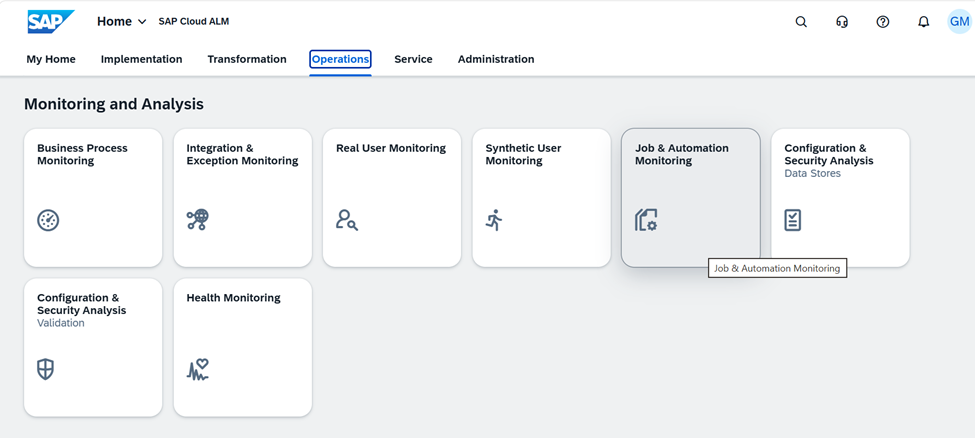
Figure 5: SAP Cloud ALM Operations Dashboard -
Open the Favorites or Monitoring view within Job & Automation Monitoring to view configured services and system.
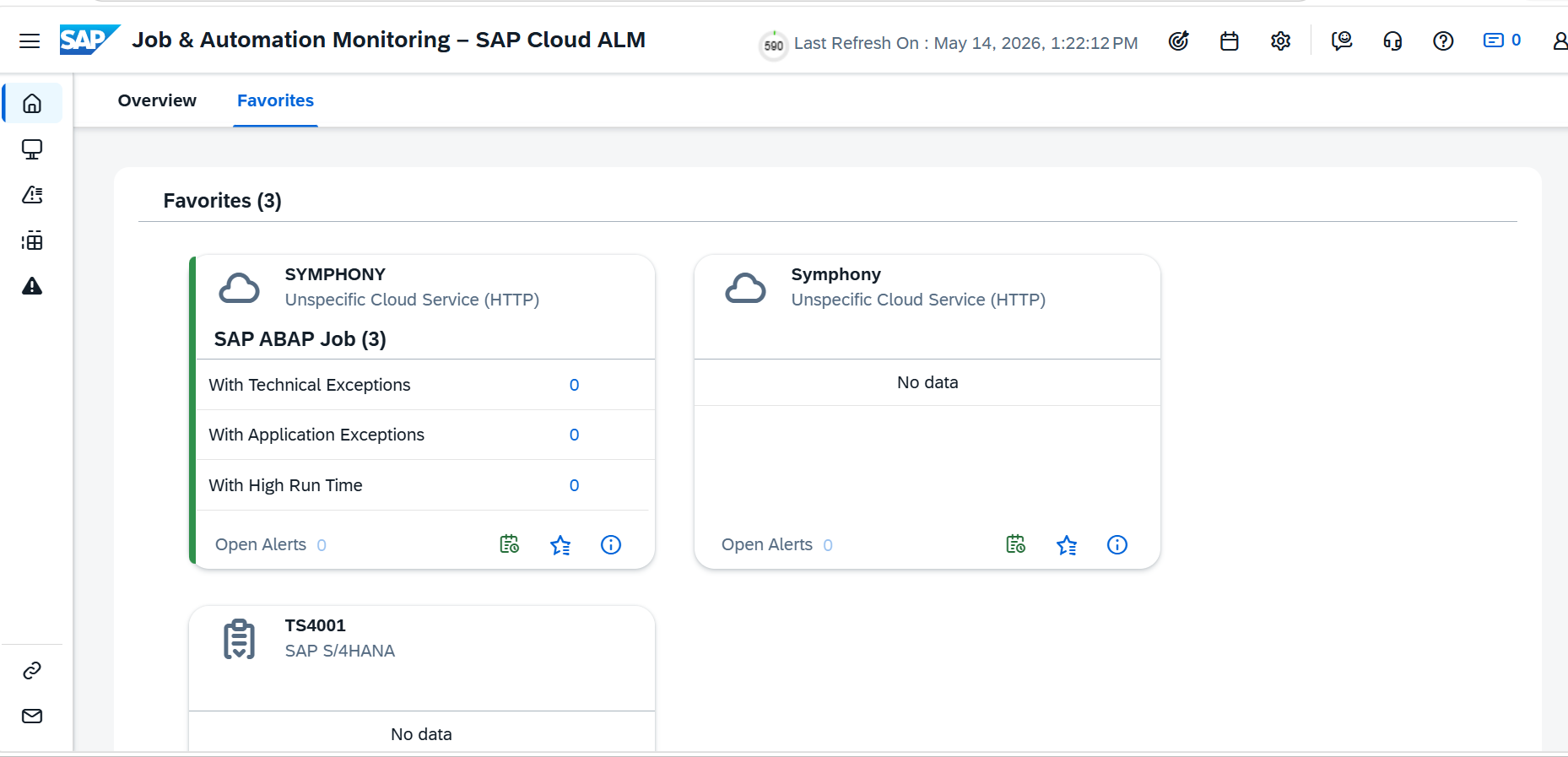
Figure 6: Favorites Screen in Job & Automation Monitoring -
Click the Select a Scope option to filter and locate the required Symphony service.
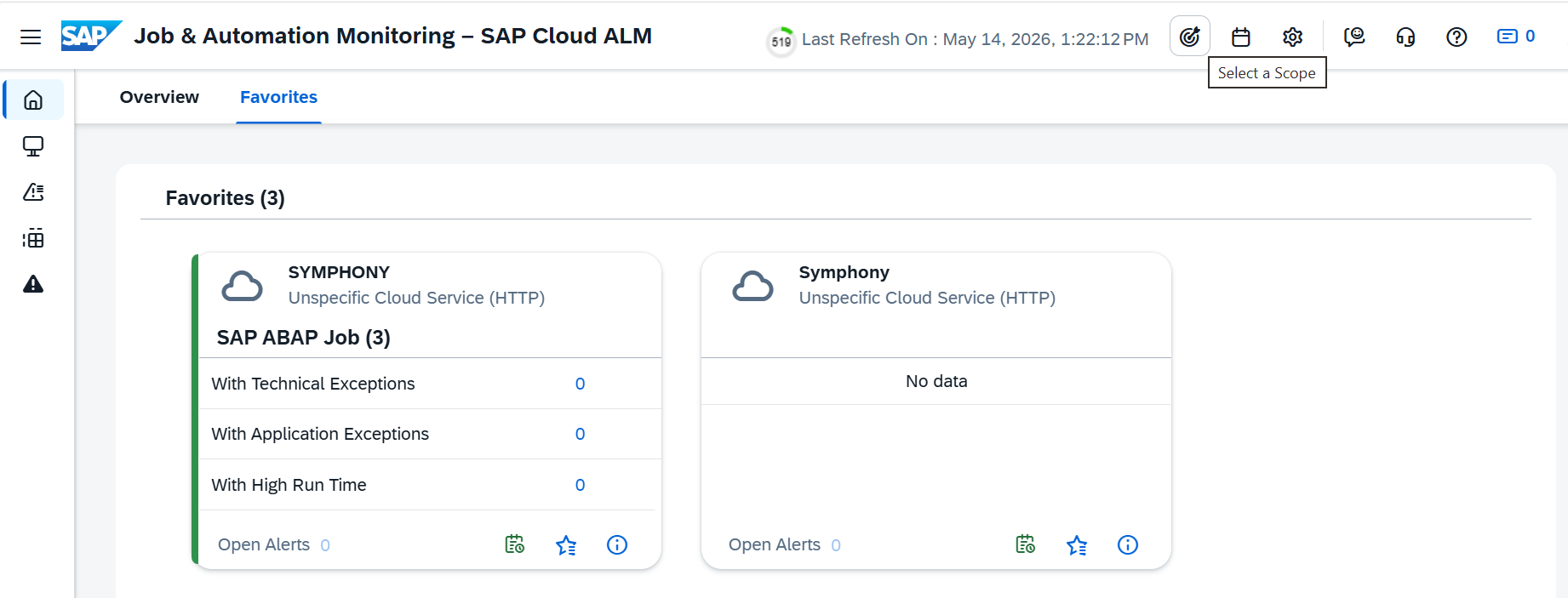
Figure 7: Scope Selector Screen -
Click the Select a Scope option to filter and locate the required Symphony service.
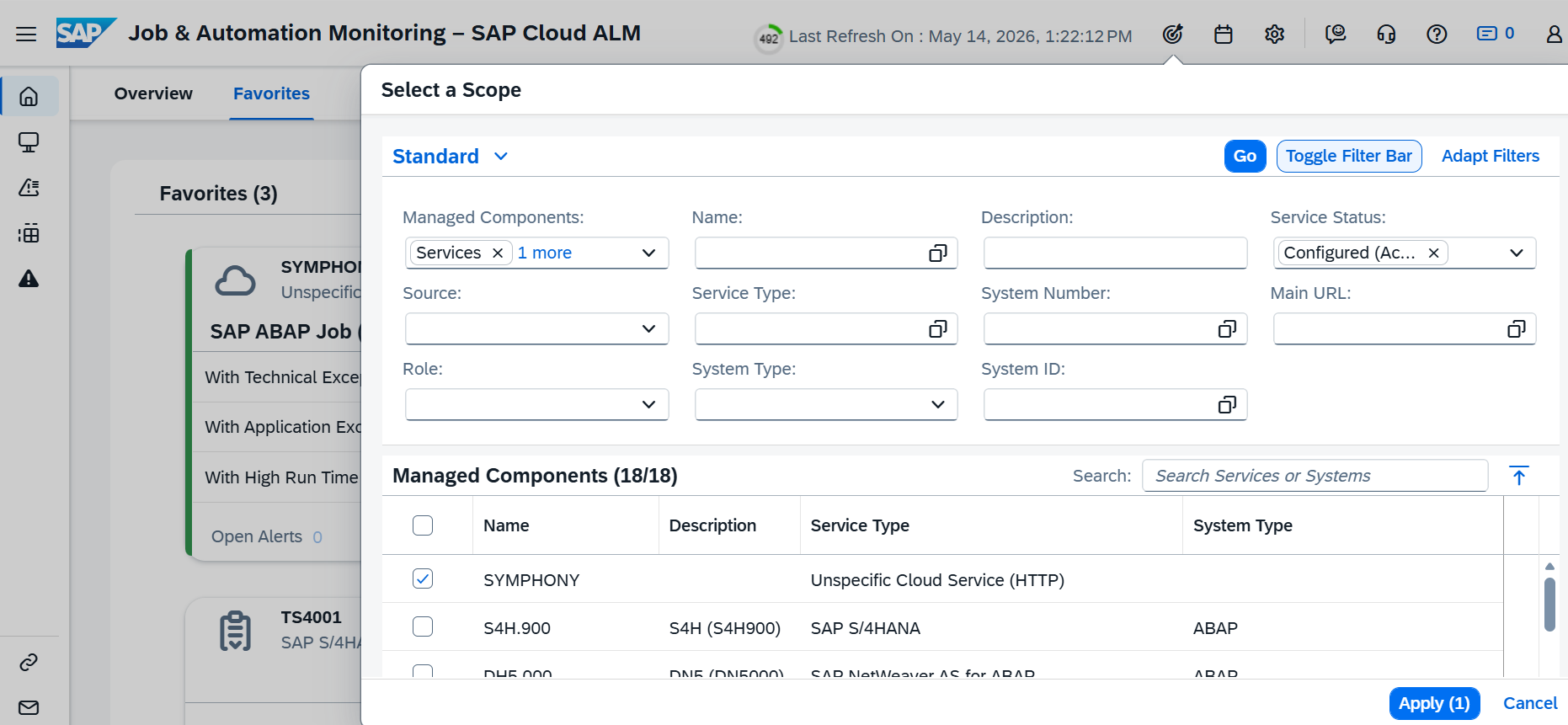
Figure 8: Scope Selector Screen -
From the monitoring dashboard, select the Symphony – SAP ABAP Job option to display the available scheduled jobs.
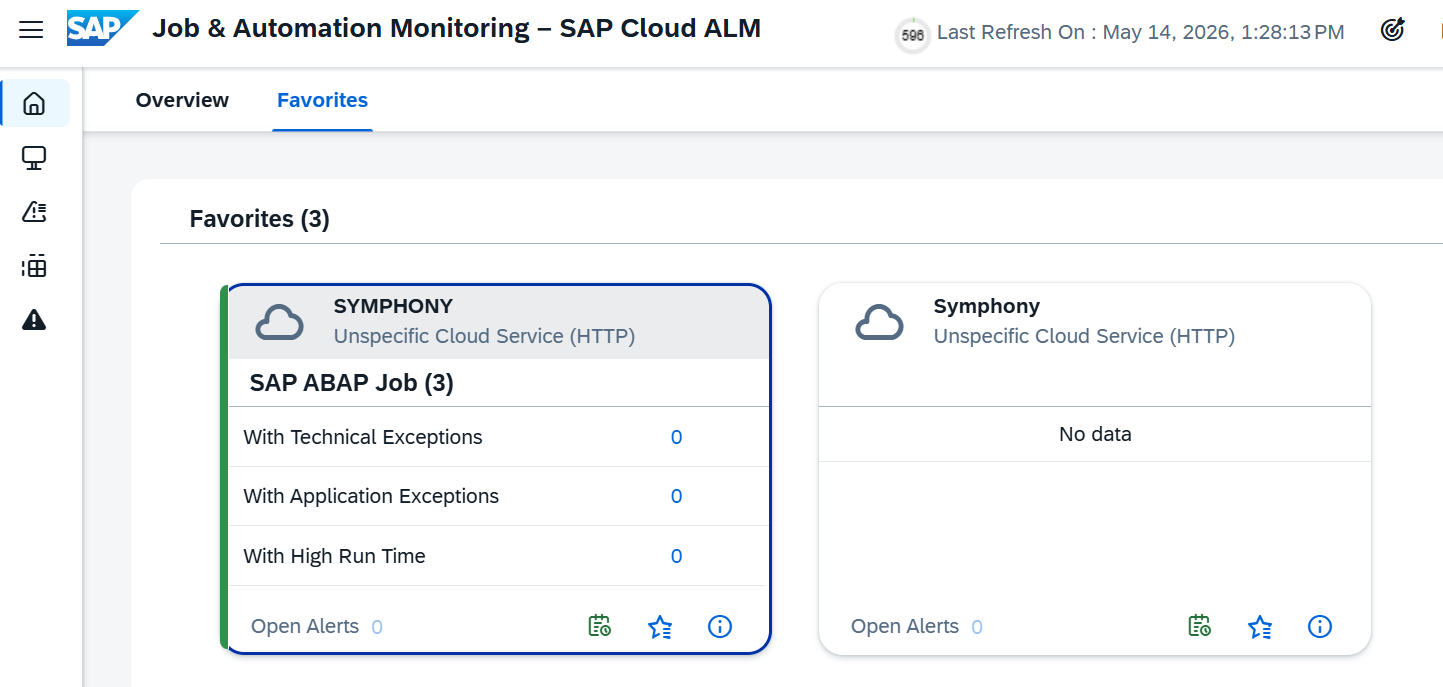
Figure 9: Symphony SAP ABAP Job Selection Screen -
Select the required job from the job list to open the execution monitoring details.
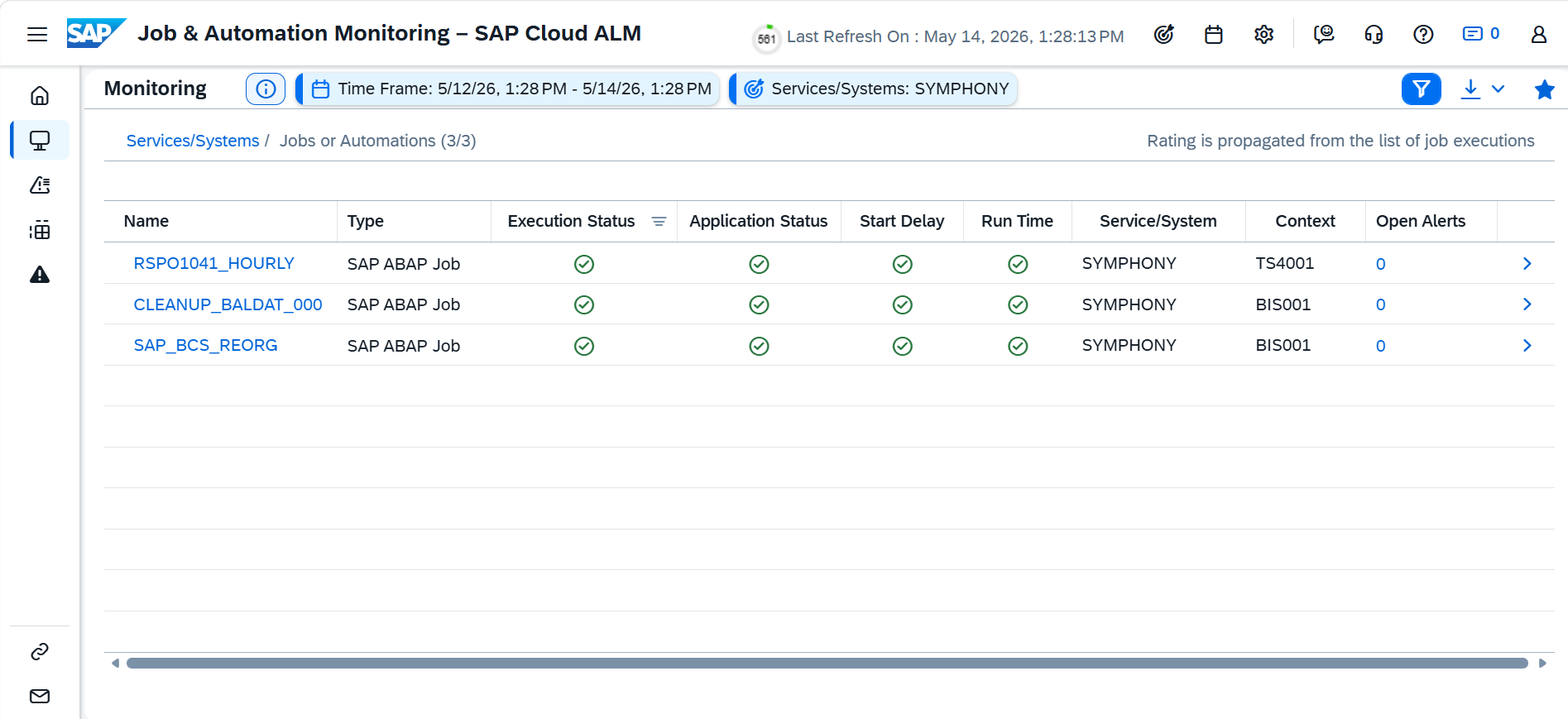
Figure 10: Job List Monitoring Screen - Select the job that needs to be monitored.
-
Review the job execution details, including planned start time, execution status, application status, runtime, and start delay information.
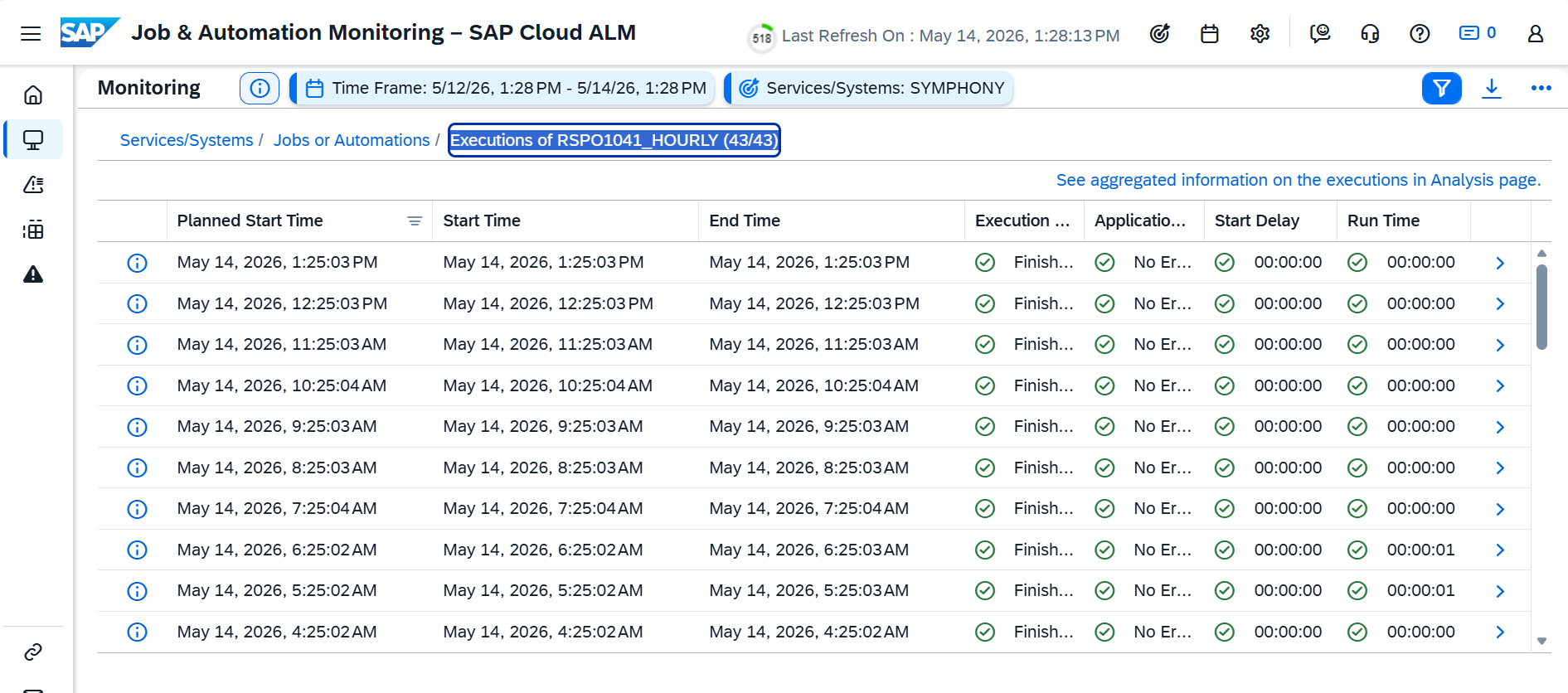
Figure 11: Job Execution Details Screen
Note: All five ALM Service input fields are mandatory. Ensure the credentials (Client ID and Client Secret) are obtained from the service binding or service key of the ALM service instance in SAP BTP Cockpit before configuring the Schedule Job node.